
The enforcement layer, from the side of the person it works for.
The admin console answers whether you can trust and control the thing. This answers the other question a buyer asks: whether their team will use it or fight it.
Boundaries are not only a constraint here. They are what makes the day legible — what was done, what was refused, and the two places where a person's judgment is actually needed.
Every screen below is a sample workspace with illustrative data, not a customer deployment. Where the product stands today: Status.
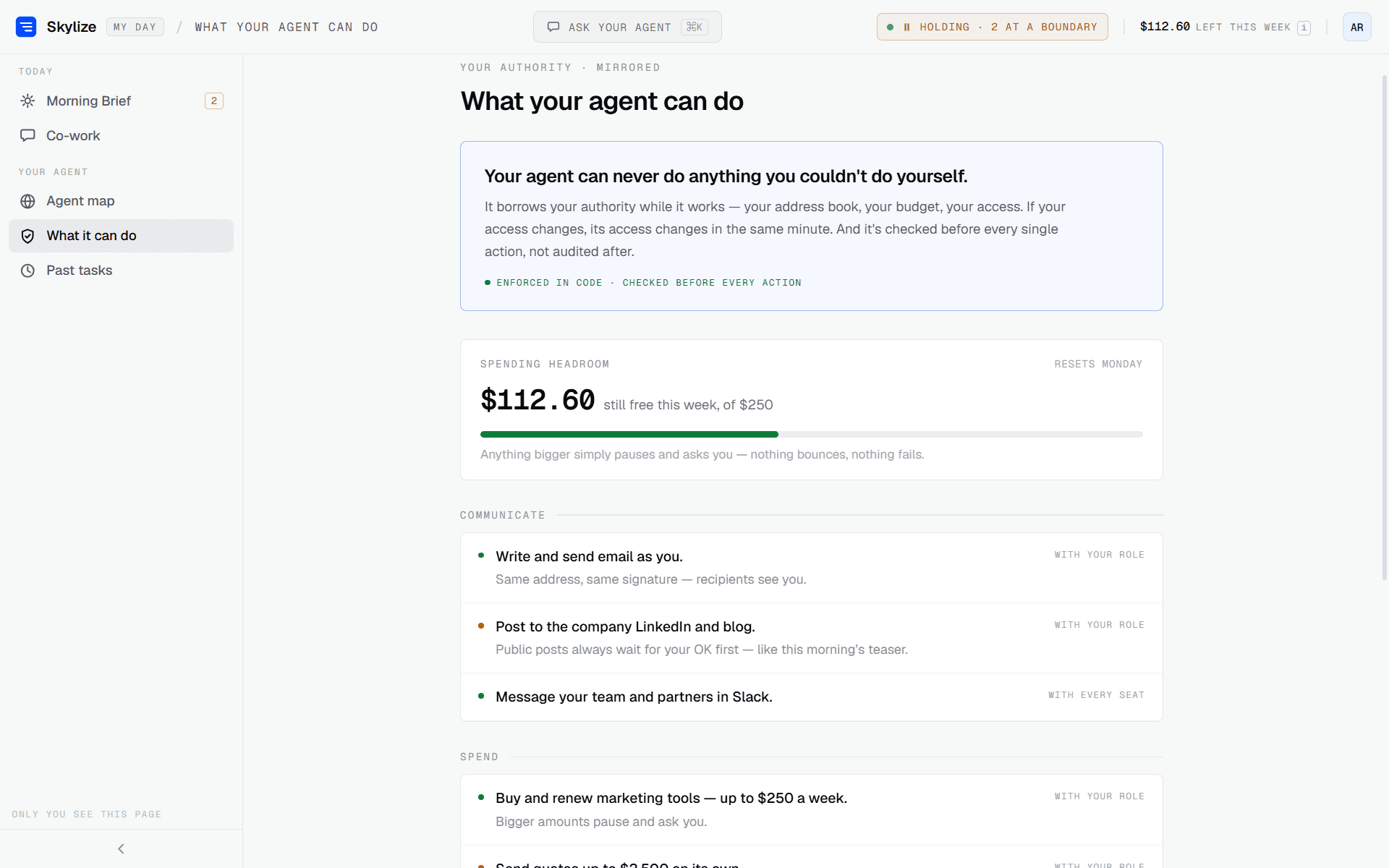
Morning Brief
The day opens with a plain-language account of the night: what was finished, what it cost, and where it stopped on purpose because the next step sat outside its authority.
An employee is handed a decision list, not a log to audit. The boundary checks that produced it happened before anything ran.
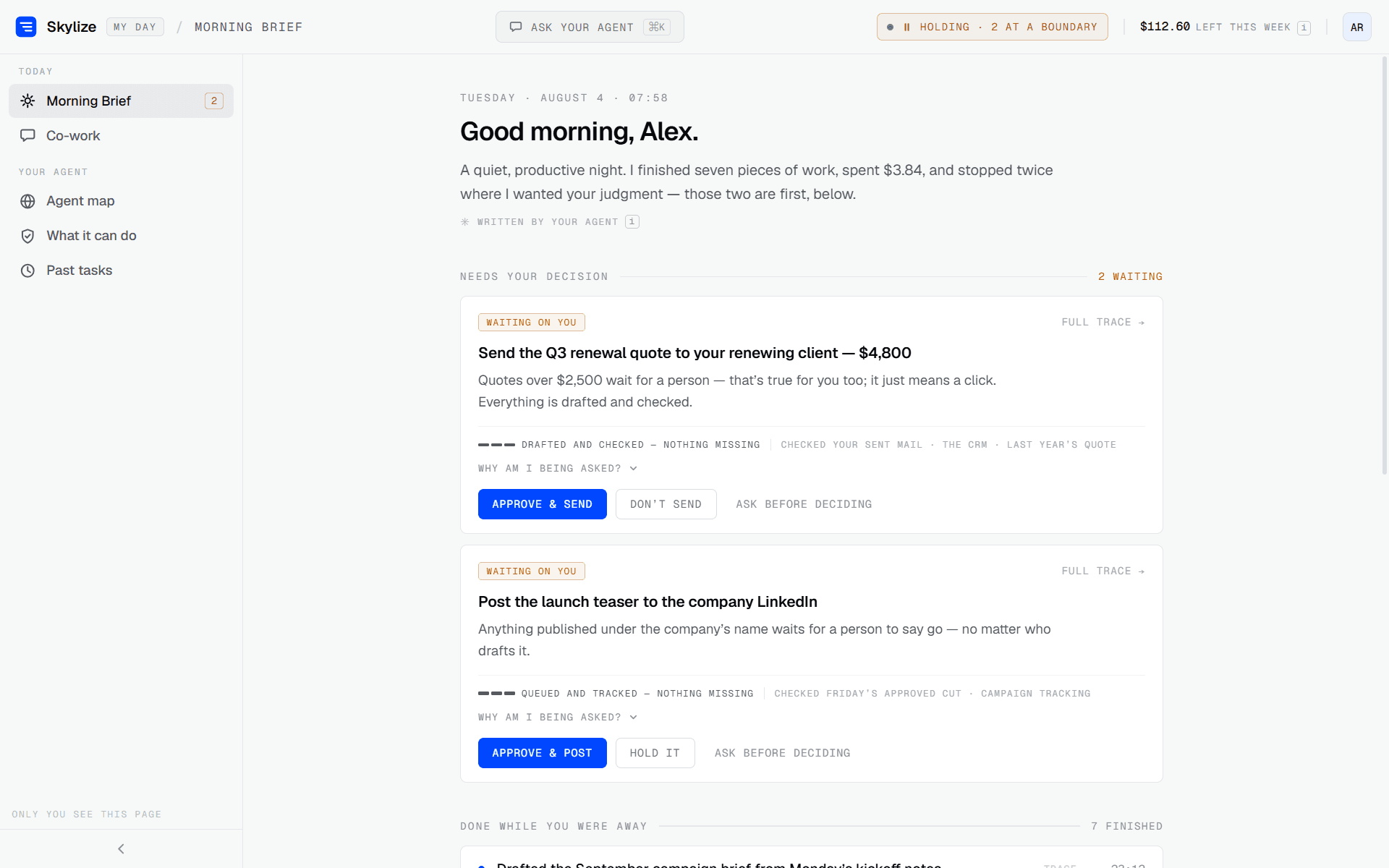
Asking, in the middle of the work
An employee asks for something in the moment; the agent answers, and when the next step falls outside its authority it says so and waits. The approval happens inline, in the same thread.
It is not a freshly briefed assistant. It reads the same live, continuously synced organizational memory the automation layer keeps — scoped to what this employee is permitted to see — so a one-off request is answered from current context, not a re-collected snapshot.
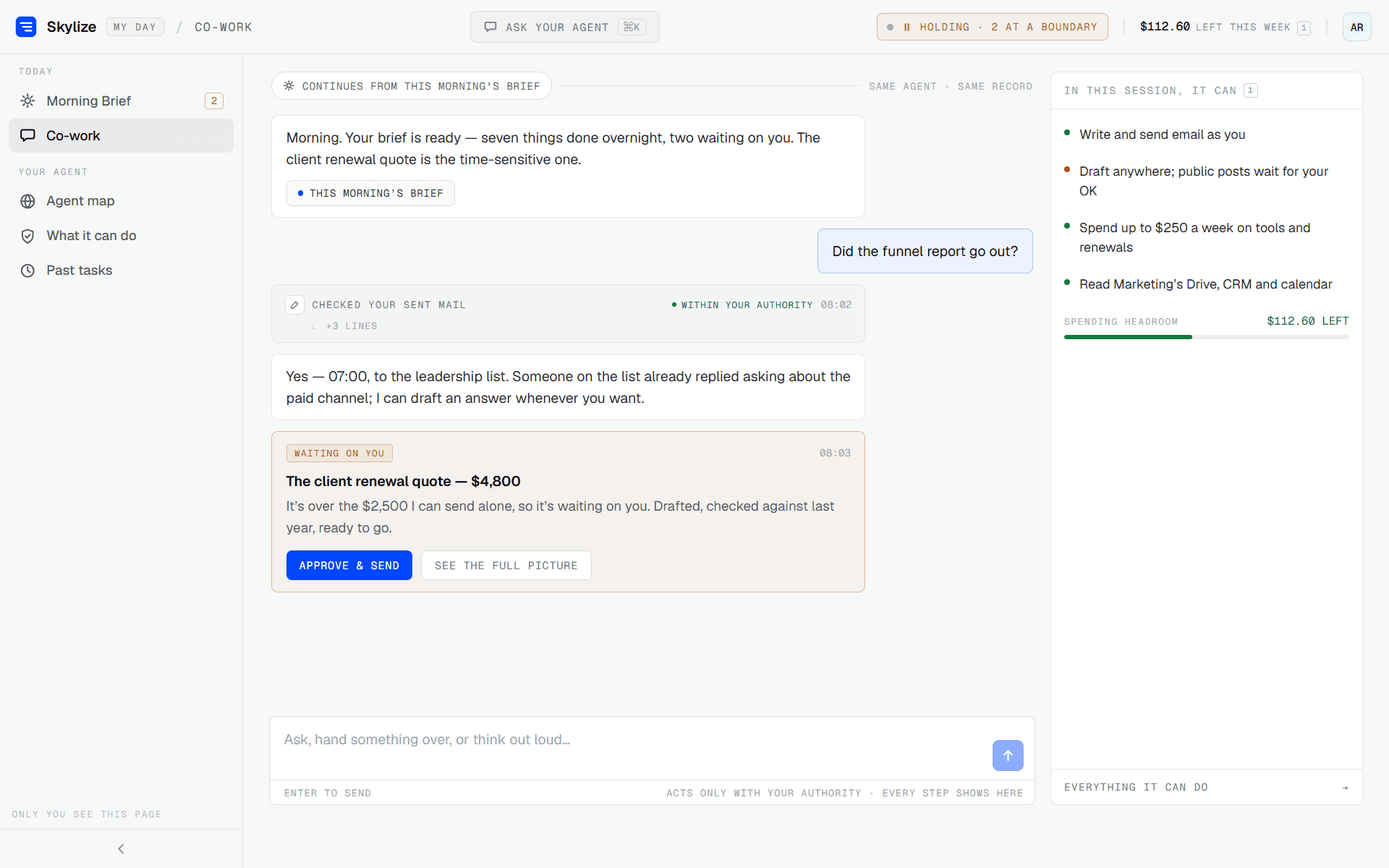
Your agent's activity
One screen for one person's agent: what it may do without asking, what it must always ask about first, how much of the week's spending headroom is left, and what it handed back.
The perimeter is stated to the employee in the same terms it is enforced in. Items that stopped are shown as stopped on purpose, not as failures.
Not the same screen as the org-wide agent map on the admin console. This one is scoped to a single employee's authority.
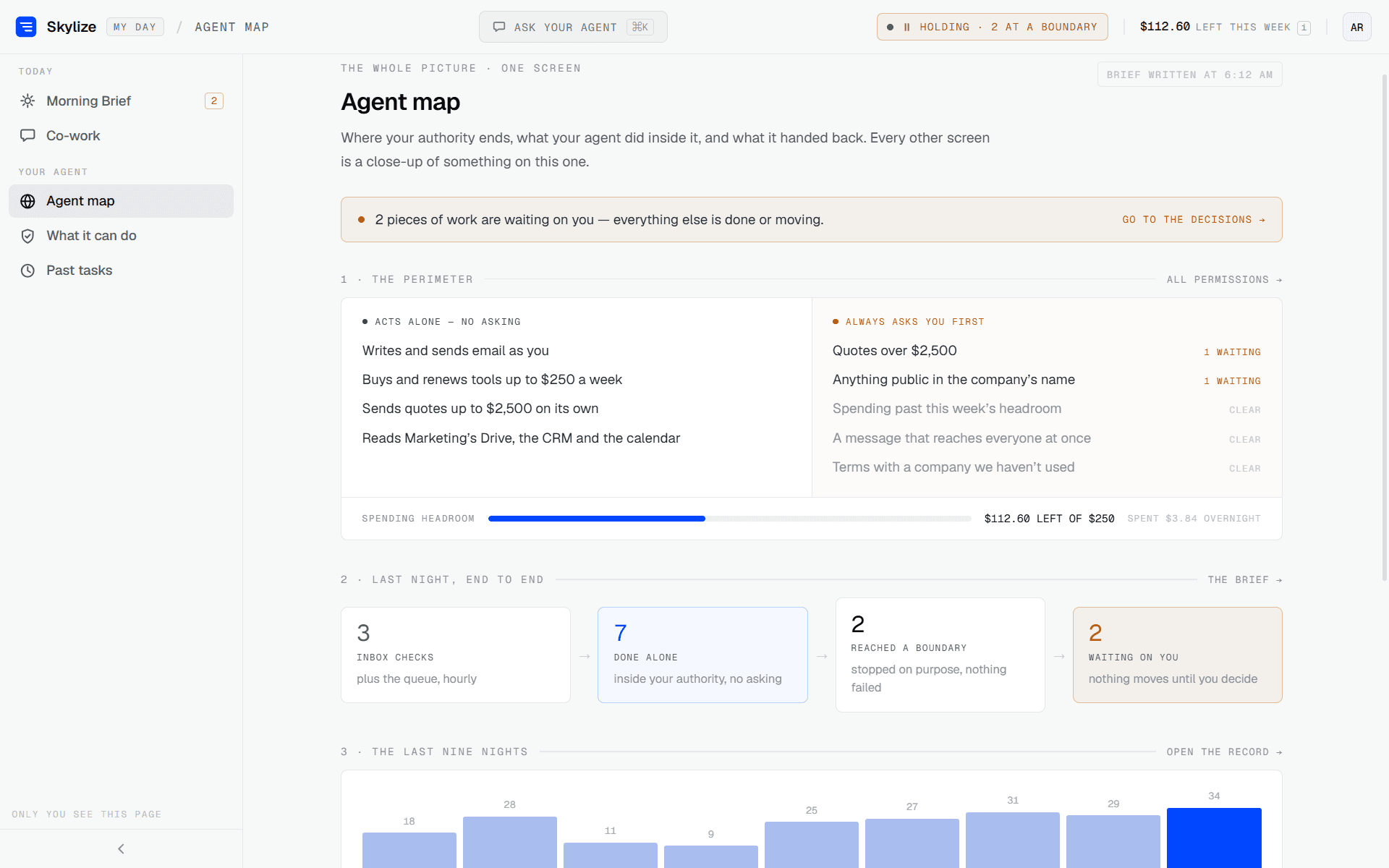
What it can do
The full grant, written out: which actions carry the employee's role, which ones pause and ask, and the spending ceiling with what remains against it this week.
The agent borrows the employee's authority rather than holding its own. When their access changes, its access changes with it — checked before each action, not audited afterwards.
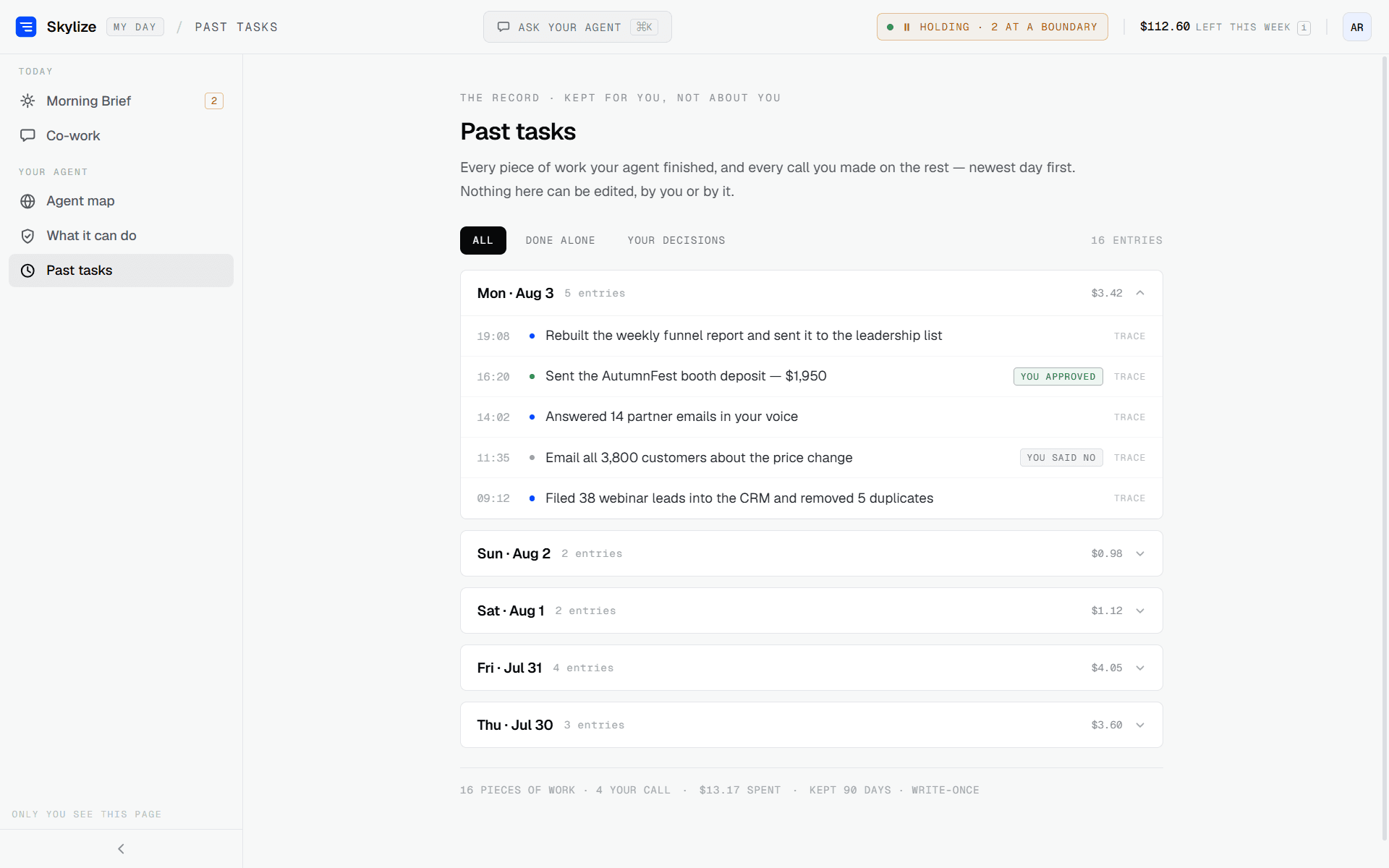
Past tasks
Every finished piece of work, day by day, with the calls the employee made on the rest — approved, declined — and a trace behind each entry.
Nothing here can be edited, by the employee or by the agent. It is the same write-once guarantee the admin audit log rests on, seen from the other side.
Both sides of the same enforcement.
Design partners get the layer put in front of agents they are actually running, and direct access to the engineer building it.